
Team Time Log – time spent on other students’ sites (must have 3 entries or more):
Date: Feb. 23, 24min From: 12:41 pm To: 13:03 pm
Date: Feb. 24, 19min From: 13:25 pm To: 13:44 pm
Date: Feb. 24, 15min From: 15:06 pm To: 15:21 pm
Students Time Log – time spent on other students’ sites (must have 4 entries or more):
Date: Feb. 23, 06min From: 11:41pm To: 11:47pm
Date: Feb. 23, 04min From: 11:51pm To: 11:55pm
Date: Feb. 26, 08min From: 22:51pm To: 22:59pm
Date: Feb. 27, 06min From: 11:21am To: 11:27am
Date: Mar. 01, 04min From: 12:05am To: 12:09am
Date: Mar. 01, 09min From: 12:14pm To: 12:23pm
Essay I : Summary of your activities in your contents, including new contents created (one paragraph). Provide all the hyperlinks (clickable) of the new content you have created this week.
This week, I stayed consistent with my daily web analytics routine by checking GA4 to monitor traffic trends and confirming that visitors were actively moving through my site and, most importantly, understanding what they found engaging by how much time they spent on the site. I also visited several students’ sites and also worked on the UI/UX and Web Dev side for our team project, where we installed several plugins and improved navigation. Back to my individual projects, I left comments on posts I enjoyed, and then reviewed, approved, and responded to comments on my site. I published two new posts under the Interests category titled, Why I care about child safety online and a review of the Netflix’s The Hunting Party . I also posted the HW8 Summary post, each with at least one image and proper credit where needed. I also created the Thank You! page which and created an event in GTM to be triggered whenever someone leaves a form. I also made sure comments are enabled to encourage engagement. I also organized my content using clear categories/tags and updated my menus so content is easy to find for visitors while HW items remain organized under the HWS menu item for grading.
Essay II: Summary of your “Thank you” event conversion (add screenshots) (one paragraph)
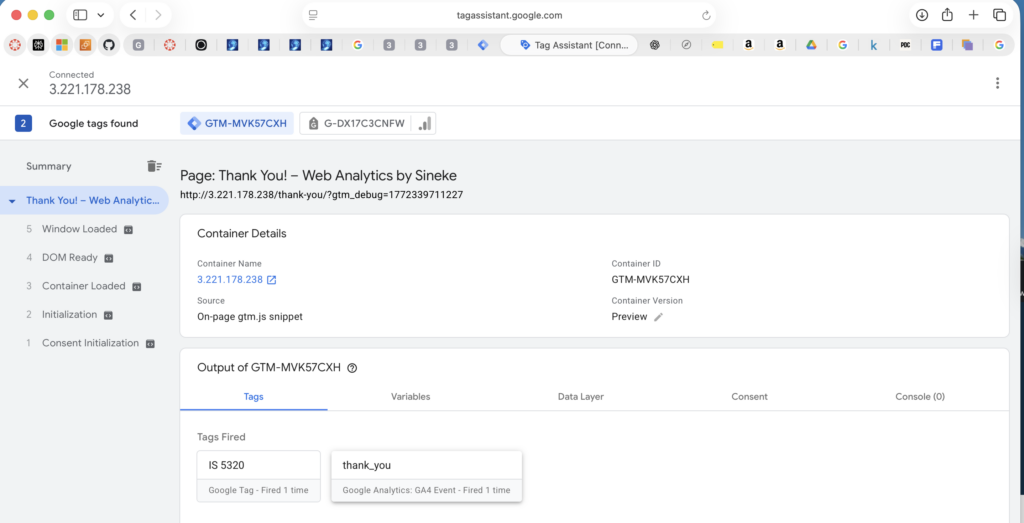
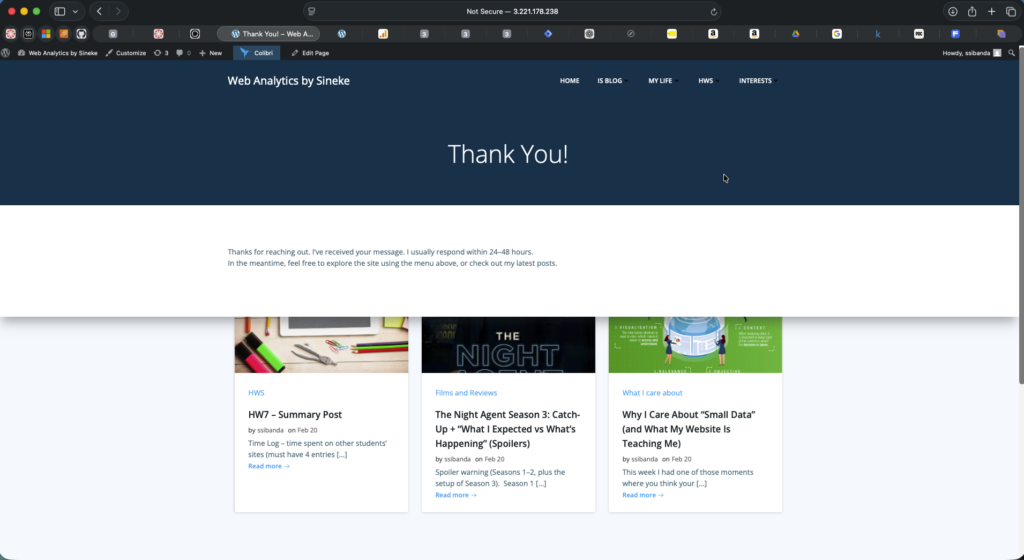
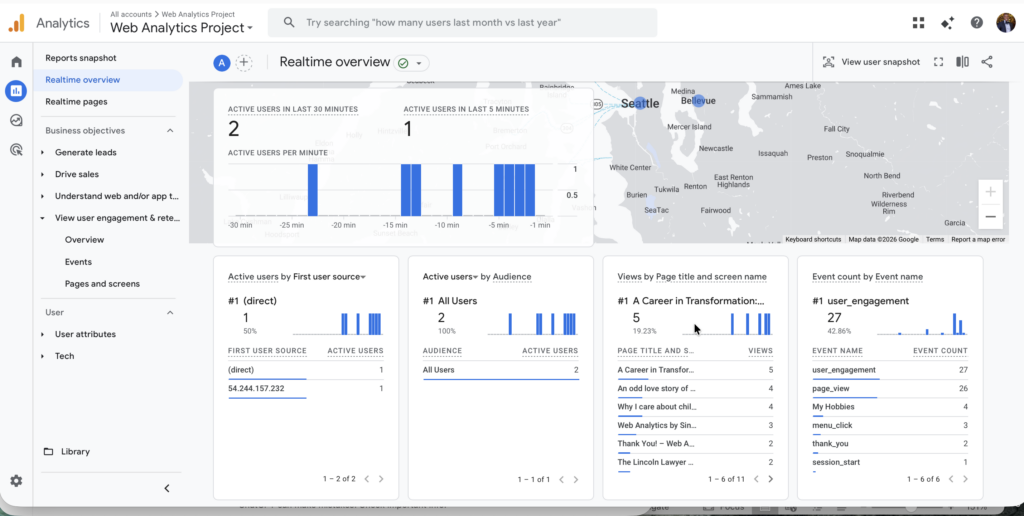
For my conversion-centric tracking, I created a dedicated Thank You page. I configured my Forminator contact form to redirect users to that Thank You page after a successful submission, creating a clear “success” moment. In Google Tag Manager, I ensured my base Google tag fires properly and then created a GA4 event tag named thank_you that triggers only when the Thank You page loads (based on the page URL/slug). I validated the setup using Tag Assistant preview mode, where the thank_you tag fired successfully on the Thank You page, and then confirmed GA4 received the event in Realtime. The event has yet to appear in GA4’s Events list. Once it does, I will mark it as a Key Event (conversion) so submissions can be measured as a meaningful outcome.
Essay III: Summary of your “menu click” event conversion (add screenshots) (one paragraph)
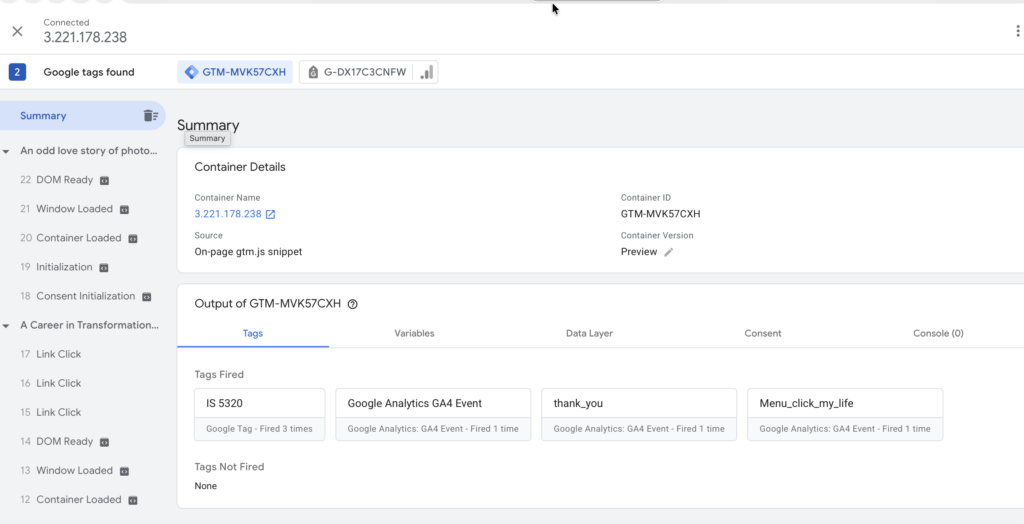
For event-centric measurement, I implemented a navigation behavior event to understand whether visitors actually use my site menu the way I designed it. In Google Tag Manager, I created a click trigger for one main menu link using Click Text contains “MY LIFE”, and then built a GA4 event tag that fires on that click (my event shows as Menu_click_my_life in Tag Assistant). I tested it in Preview/Tag Assistant and confirmed the tag fired when I clicked the My Life menu link, and then verified the event reached GA4 through Realtime/DebugView. This event helps me evaluate how discoverable my content is through navigation (not just pageviews), and it sets me up to compare which menu items drive deeper engagement over time.

No responses yet